Solutions

Five operating models. One operational language.

Detailed buyer pain, architecture, workflow, implementation and capability status for each hospitality model.

Start with your business type

Street food, dining restaurant or hotel?

Each business type has its own step-by-step page. The five operating models below are the building blocks behind them.

For small outlets, dhabas & street food

Scan, pay, collect. No queue at the counter.

Stick one QR on your thela, cart or counter. Customers order and pay from their own phone, your kitchen screen rings, and they collect when the food is ready.
  • No app to download โ€” the menu opens in the phone browser
  • Money goes straight to your own UPI ID
  • Kitchen screen with a sound alert for every new order
Street food carts & thelasDhabasChaat & tea stallsFood-court countersCloud-kitchen pickup
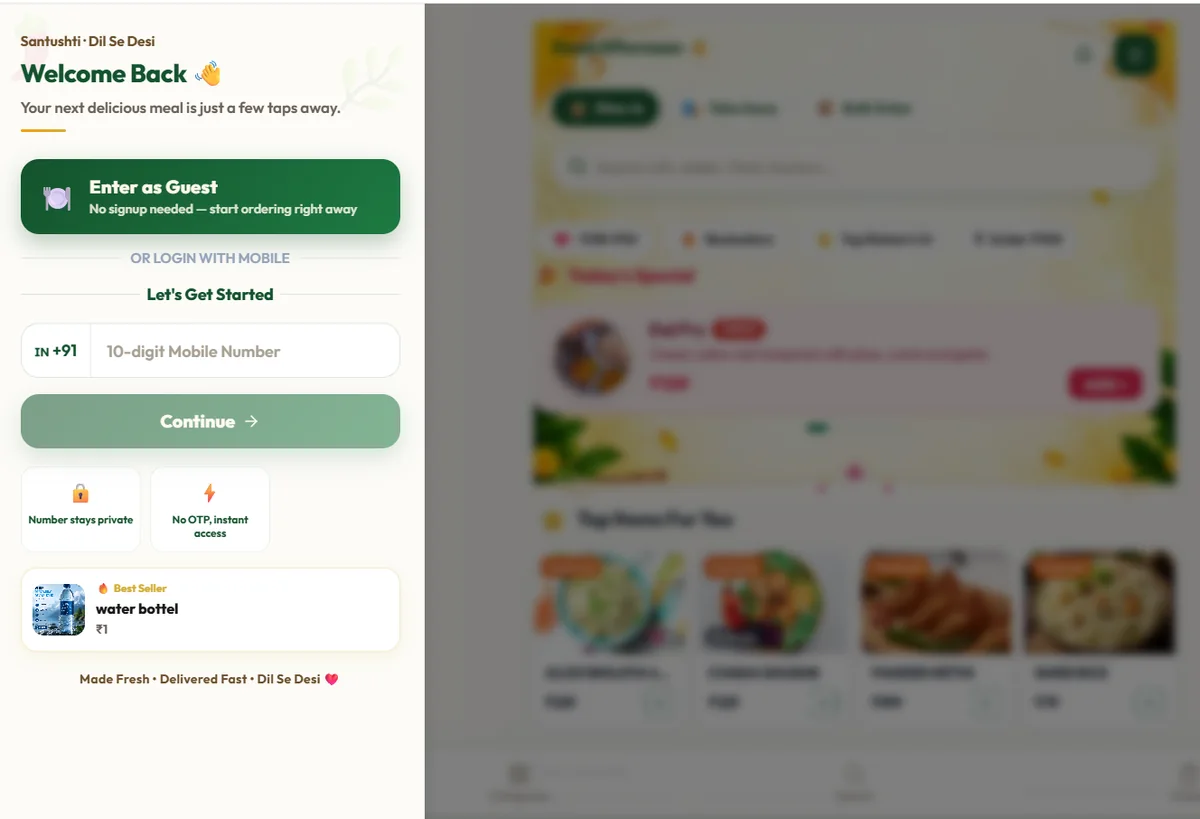
QRO POS walk-up QR guest entry screen with Enter as Guest, optional mobile login and the menu behind it
Real guest screen: the customer enters as a guest or with a mobile number, then sees the live menu.

The journey, end to end

  1. 01QR scan
  2. 02Live menu
  3. 03Cart
  4. 04Price check
  5. 05UPI payment
  6. 06Kitchen screen
  7. 07Ready to collect
MODEL 01live

Direct Restaurant Ordering

Own the guest journey and protect direct-order margin.

Read the complete workflow โ†’
8-second live workflowLIVE MODEL
  1. 01

    Scan sweep

    Owned restaurant QR

    Guest connected
  2. 02

    Availability sync

    Live menu and variants

    Menu current
  3. 03

    Direct UPI

    Restaurant account

    Payment successful
  4. 04

    KDS live

    Audio alert and ticket

    Kitchen notified
MODEL 02roadmap

Self-Ordering Kiosk

Reduce peak-hour ordering queues without misrepresenting roadmap hardware as live.

Read the complete workflow โ†’
8-second live workflowCONCEPT ยท ROADMAP
  1. 01

    Attract loop

    Concept idle screen

    Roadmap concept
  2. 02

    Touch order

    Items and modifiers

    SizeExtrasReviewSelection concept
  3. 03

    Pay and token

    External terminal

    Integration roadmap
  4. 04

    Kitchen route

    Token to production

    Routing concept
MODEL 03live

Table QR Dining & POS

Remove ordering friction while preserving one controlled table workflow.

Read the complete workflow โ†’
8-second live workflowLIVE MODEL
  1. 01

    Table scan

    QR identifies table

    Table 12 joined
  2. 02

    Shared bill

    Items from three guests

    G1 + dishG2 + drinkG3 + dessertOne running order
  3. 03

    POS and KDS

    Live production state

    PreparingReady
  4. 04

    Table payment

    Bill closes together

    Payment complete
MODEL 04live

Hotel Room Service Engine

Make room service easy for the guest and controlled for the property.

Read the complete workflow โ†’
8-second live workflowLIVE MODEL
  1. 01

    Room QR

    Room identity opens

    Room recognised
  2. 02

    Stay verified

    Room passcode ยท OTP Roadmap

    Passcode accepted
  3. 03

    Outlet and KDS

    Open outlet routing

    Kitchen received
  4. 04

    QroPOS folio

    Eligible room charge

    Folio posted
MODEL 05live

Multi-Outlet Hotel & Resort

Give the guest one property experience without flattening operational boundaries.

Read the complete workflow โ†’
8-second live workflowLIVE MODEL
  1. 01

    Property QR

    One guest entry

    Property connected
  2. 02

    Mixed order

    Items keep outlet context

    Order composed
  3. 03

    Station split

    Glowing routes fan out

    BarKitchenPool KDSThree routes live
  4. 04

    Consolidated folio

    One stay ledger

    Folio balanced

Ready to see the complete flow?

Which operating model fits your property?

Most properties combine more than one. We will map the handoffs before recommending scope.