STEP 01Guest
Guest scans the QR in Room 301
What you seeThe hotel's guest menu opens on their phone.
Behind the scenesEvery room has its own QR. If a card goes missing, the front desk reissues or revokes it and the old code stops working at once.
Hotel staff use the property link issued by their hotel, or enter through Hotel Console.
For hotels & resorts
Guests order in-room dining, café, bar or poolside food from the QR in their room. Each item goes to the station that makes it, extras like water follow your free quota, and charges land on the room folio.
Enter your stay passcode
Breakfast platterOutlet open · 06:00–11:00
₹—The whole journey in one line
Each box is one hand-off. The glow shows the order moving from one layer of the system to the next.
Step by step
Left: what the customer or your staff actually see. Right: what QRO POS does at that moment, in plain words.
What you seeThe hotel's guest menu opens on their phone.
Behind the scenesEvery room has its own QR. If a card goes missing, the front desk reissues or revokes it and the old code stops working at once.
What you seeThe guest confirms the room with the passcode given at check-in.
Behind the scenesOrdering opens only while that room has a checked-in stay. An empty room's QR cannot place orders.
What you seeIn-room dining, café, bar, pool grill — each with its own menu and an Open / Closed label.
Behind the scenesEach outlet keeps its own hours, menu and prices. Room-service prices can differ from restaurant prices.
What you seeDrinks appear on the bar screen, food on the kitchen screen.
Behind the scenesEvery dish is mapped to one preparation station, so a mixed order splits automatically and each team sees only its own part.
What you seeService tiles such as water bottles. The screen shows how many free bottles are left — for example 2 per day.
Behind the scenesWhen the free quota is used up, nothing is charged silently. The guest sees the price, and only if they agree is the extra bottle added to the room bill.
What you seeThe front desk sees every charge on the stay in one list.
Behind the scenesEach outlet is set to “consolidated” (charged to the room folio) or “independent” (paid at the outlet). Managers can change this per outlet.
What you seeReception settles one folio — food from every outlet, extra water, minibar — and checks the guest out.
Behind the scenesThe front-desk console has its own staff login, so a receptionist never needs an admin account.
System layers
Everyone works on the same order. Nobody re-types it, so the phone, the kitchen and the bill can never disagree.
What the guest touches
What reception uses
What keeps it safe
What each team sees
Real screens
Product captures from QRO POS using sample data. The animated mock-up at the top of this page shows the same flow in motion.
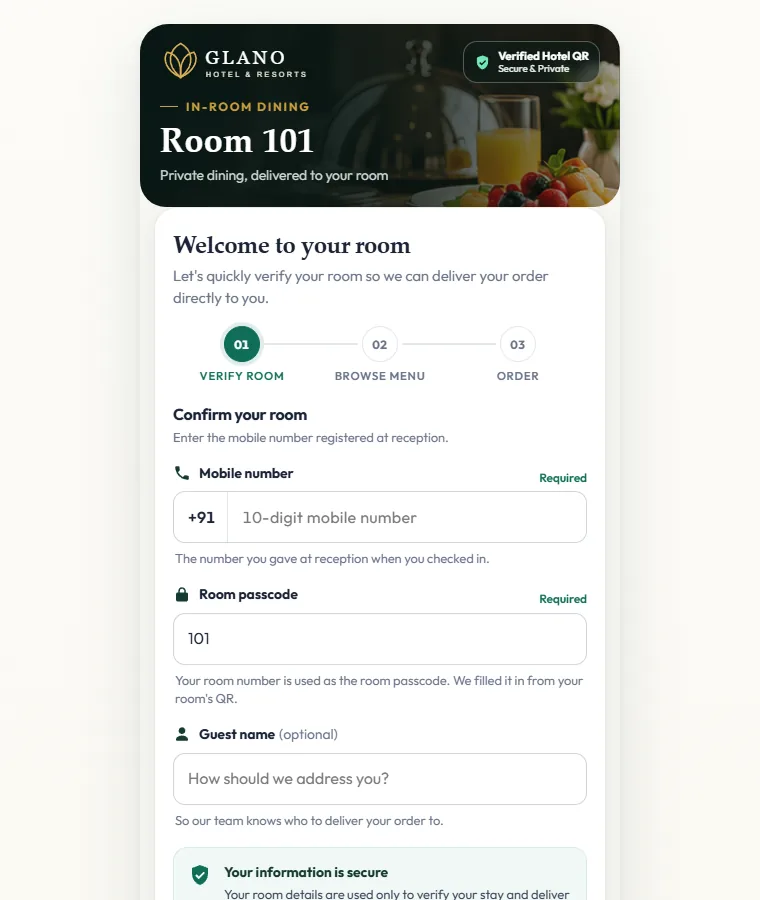
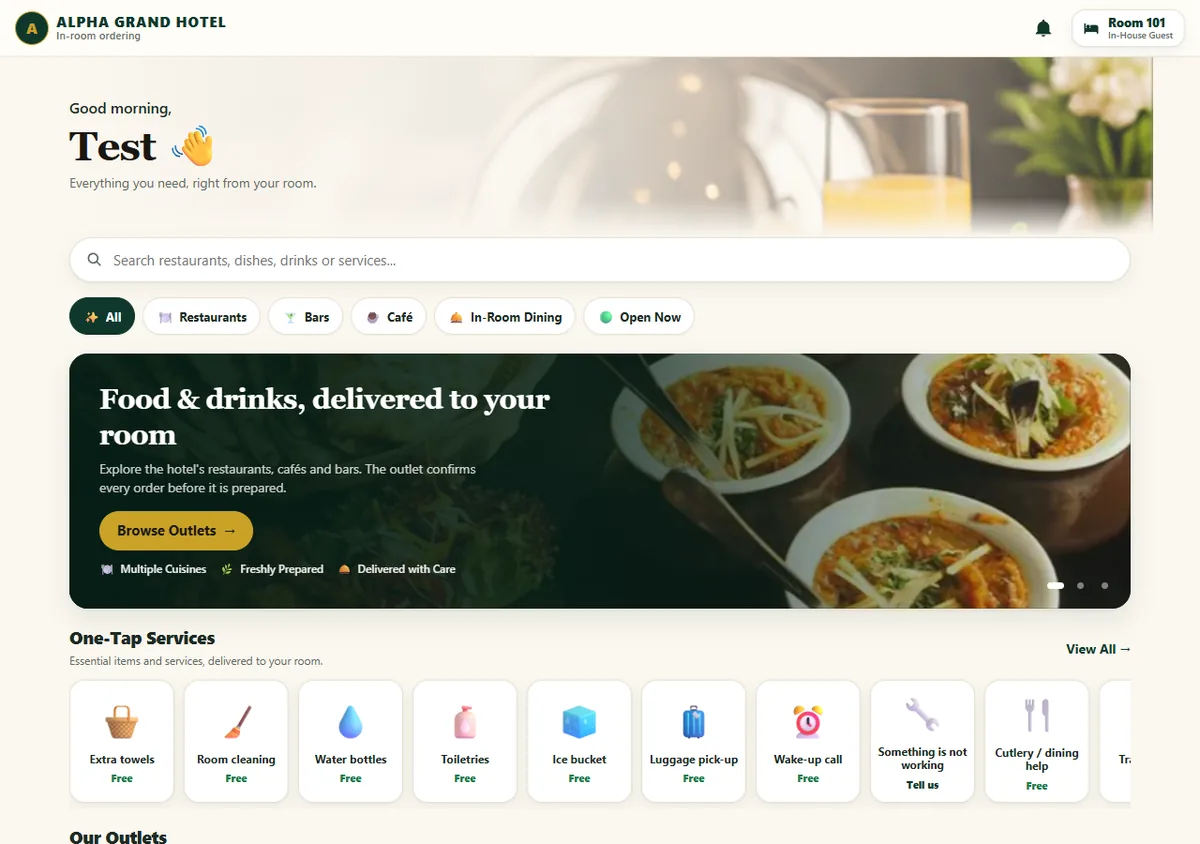
Split to station · Consolidated to stay
Feature callouts
Reissue or revoke from the front desk in one click.
No checked-in stay, no orders.
Each outlet with its own hours and prices.
Bar, kitchen and café each get only their items.
Free allowance per stay; extras only with guest consent.
Per outlet: room folio or pay at the outlet.
Reception login, guest register, folio and checkout.
Two-way sync with third-party PMS is planned.
SMS one-time codes for stay verification are planned.
FAQ
No. Orders open only for a room with a checked-in stay, and the guest verifies the room first. A lost QR can be revoked from the front desk.
You set how many free bottles a stay gets and for which period. The guest sees how many are left. Past the limit, they are shown the price and the extra is added to the room bill only if they agree.
Yes. Each outlet is either consolidated to the room folio or independent, and managers can change it per outlet.
The QroPOS folio is live today. Synchronisation with an external PMS is on the roadmap.
Ready to see the complete flow?
Tell us how you serve today. We will walk you through this exact flow with your own menu.